
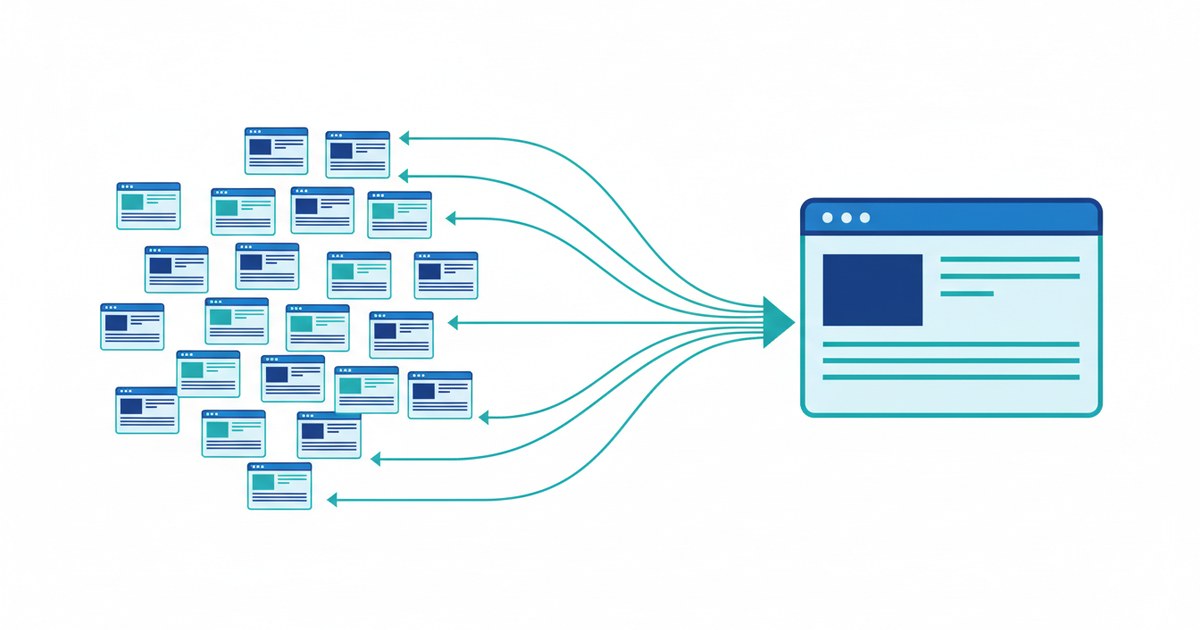
Bulk Redirect Checker: How to Verify Every URL After a Site Migration
A site migration turns redirects from a single-file concern into a systems problem. One domain move, one replatform, one URL restructure, and you've got anywhere from fifty to several thousand old addresses that all need to land somewhere real. The only honest way to confirm that is to run the full list through a bulk redirect checker before you call the migration finished. Checking a handful by hand and assuming the rest follow the same pattern is how teams find out six weeks later that an entire product category is quietly 404ing.
This is where I usually get called in, after the launch, not before it. Someone noticed a traffic dip, pulled a sample of URLs, and found three broken ones out of ten checked. That ratio, applied across a few thousand pages nobody sampled, is the real story behind most post-migration ranking drops.
Site migration redirects fail in predictable, mappable ways. The fix isn't more vigilance. It's a process with a defined start, a defined batch size, and a defined way of reading the output.
Building and Verifying a Redirect Map at Migration Scale
Why a single spot check isn't enough
Redirects that work fine one at a time can still fail at scale, for a reason that has nothing to do with the redirect itself: nobody checked all of them. A single URL either redirects correctly or it doesn't, and eyeballing it in a browser tells you the whole story.
A migration replaces hundreds of URLs simultaneously, through rules that were often written in batches, by different people, at different points in the project. One rule set might handle the blog correctly and silently miss the product pages added in the final week. Nobody wrote that gap on purpose. It's just what happens when redirect logic gets built in pieces and verified in glances.
There's also a compounding problem that a single-URL check can't reveal: chains. One redirect hop is invisible to a user and barely measurable. Ten migrations layered on top of each other, each adding its own hop to the same URL, is a different animal entirely.
You won't spot that pattern by clicking ten random links. You'll spot it by running everything through the same report and reading the hop count column.
Step 1: gather every old URL that matters
The redirect map is only as complete as the URL list underneath it, and a fresh crawl of the new site tells you nothing about pages that no longer exist to crawl. This is the single most common gap in migration prep: someone crawls the old site right before launch, treats that list as final, and never mainstream the URLs that already dropped out of navigation but still carry backlinks or rankings.
Screaming Frog's own migration audit guidance recommends pulling old URLs from at least six separate sources before you consider the list done: a pre-migration crawl, Google Analytics landing pages, Search Console's top-performing pages, backlink data from a tool like Ahrefs or Majestic, scraped search-engine results for the old domain, and server log files. Each source catches something the others miss.
Analytics catches pages people actually visit. Search Console catches pages Google actually indexes. Backlink tools catch pages other sites are linking to, which is exactly the traffic and authority you can't afford to drop on the floor. (See Screaming Frog's migration audit tutorial for the full source list and reasoning.)
A shop replatforming from one cart system to another is a good example of where this bites. The current product catalog crawls cleanly. The seasonal collection pages that got unlinked from navigation eighteen months ago, but still rank for long-tail terms and pull in backlinks from review sites, won't show up in that crawl at all. They only show up in Search Console and the backlink export.
Step 2: build the redirect map
Once the URL list is genuinely complete, redirect mapping is a spreadsheet exercise with five columns that each answer a specific question later in the process. Skipping a column doesn't save time, it just moves the confusion downstream to whoever reads the bulk report.
| Column | What It's For |
|---|---|
| Source URL | The old address, exactly as it appeared, trailing slash and all |
| Destination URL | Where it should land after the move |
| Redirect type | 301 (permanent) or 302/307 (temporary), stated on purpose, not left to whatever the CMS defaulted to |
| Verified status | Filled in after the bulk check, not before |
| Notes | Priority tier, traffic or backlink weight, anything a second reviewer needs to know |
The redirect type column is worth pausing on. Per MDN's HTTP redirections reference, permanent redirect codes get their URL substitution remembered by search engines and browsers, while temporary codes don't carry the same weight. A bulk check that turns up 302s where the map called for 301s is a silent migration bug, not a formatting detail. It means search engines may keep the old URL in their index instead of transferring signals to the new one.
The same distinction applies one level down for anything that isn't a plain pageview: if the migration touches form submissions or API endpoints, 307 and 308 preserve the request method and body in a way 301 and 302 don't guarantee, so the redirect type column needs to be right for reasons beyond SEO.
Step 3: batch-verify the map with a bulk redirect checker
Here's where most guides stop at the spreadsheet and leave you to figure out verification on your own. A completed redirect map is a hypothesis, not a result. The only way to confirm it's true is to run it through a bulk URL redirect checker and read what actually comes back, hop by hop, for every row.
Every bulk redirect checker caps how many URLs it will process in one run, and that's a reasonable constraint, not a flaw to work around. httpcheck.tools' bulk redirect check processes up to 25 URLs per batch, checking each one's full hop sequence, final status, and whether it resolved in one clean jump or several. For a migration with a few hundred URLs, that means splitting the map into rounds rather than dumping the whole list in at once, which turns out to be an advantage: it forces you to decide, deliberately, which URLs get checked first.
Run your highest-traffic and highest-backlink URLs in the first batch. If something's broken, you want to know about your best pages before you know about your least important ones.
A news site restructuring its category URLs is a useful case here. Breaking, say, 800 article URLs into 32 batches of 25 sounds tedious until you realize the alternative is trusting a spreadsheet formula that says "should redirect" without anyone confirming it does.
Step 4: read the report for four failure patterns
A bulk report isn't pass or fail. It's four distinct failure patterns, and each one needs a different fix at a different layer.
- Unmapped orphan. A URL from your source list that never got a rule written for it. This isn't a redirect bug, it's a gap in the redirect map itself, and the fix belongs at the mapping layer: go back to step 2 and add the row.
- Wrong status. The redirect fires, but it's a 302 where a 301 was intended, or worse, a 404 where a redirect was supposed to exist. This lives in the rule file, typically an .htaccess block or server config, not in the spreadsheet.
- Chain. The URL eventually lands correctly, but only after two or more intermediate hops. Each hop is an extra request, and per MDN's own framing, every redirect carries a real performance cost. Chains usually form when a migration redirect gets stacked on top of an older one nobody removed.
- Loop. The URL redirects back into itself or into a cycle that never resolves. This is the one failure mode that breaks the page outright for both users and crawlers, and it needs fixing immediately, not queued for later (httpcheck.tools' guide to fixing a redirect loop covers the common causes if you want the deeper dive).
These are the same categories httpcheck.tools' own single-URL report flags as redirect_chain, too_many_redirects, redirect_loop, and temporary_redirect, so once you've read a bulk report, the vocabulary carries straight over to spot-checking an individual URL later. Once you know which pattern you're looking at, the fix usually belongs at the server config layer: for chains and wrong-status codes specifically, that means editing the rewrite or redirect rules directly rather than adding another redirect on top of the broken one. If you're managing that logic in Apache, htaccess.tools' rule generator is a faster way to write a clean single-hop rule than hand-editing regex in a text file.
How many hops is too many
This question has two different correct answers, depending on what you're actually asking.
If you're asking "will Google still follow my redirect if it's a few hops deep," the answer is yes, up to a point. Google's own migration documentation states it plainly: Googlebot can follow up to 10 hops in a chain of multiple redirects. That's the technical ceiling.
If you're asking "should I leave a redirect chain that long," the answer is no. The same Google documentation recommends redirecting to the final destination directly, and where that's not possible, keeping the chain "ideally no more than 3 and fewer than 5" hops. John Mueller has repeated that same guidance in Google's own Search Central office hours, consistently pointing site owners toward fewer than five hops per chain, which is worth treating as corroboration of the written guidance rather than a separate rule.
Ten hops is what a redirect chain checker will still resolve without erroring out. Five hops or fewer is what you should actually be building toward, because every extra hop adds latency, adds a point of failure, and in some third-party tools and crawlers, simply won't be followed at all.
Prioritizing fixes when the list is long
A bulk report on a few hundred URLs will rarely come back perfect on the first pass, and that's fine. What matters is fixing things in the right order, not fixing everything at once.
Traffic and backlink weight go first. A URL with real organic traffic or strong external links sitting on a 404 is losing value every day it stays broken; a low-traffic archive page with the same problem can wait a week.
Chains that resolve correctly come next, since they're functioning but degrading performance and burning crawl budget. Wrong-status codes, 302s that should be 301s, follow after that. Loops jump the queue regardless of traffic, because a loop doesn't degrade the experience, it breaks it outright for anyone who hits that URL.
Re-checking after launch
One pre-launch pass is not the finish line, and this is where I see the most avoidable damage happen. Redirect maps get finalized weeks before launch, then quietly change again in the last few days as content gets moved, renamed, or dropped. Nobody re-runs the bulk check against that final version, because everyone assumes the earlier pass still counts.
SALT.agency's 2026 analysis of over a thousand domain migrations found a median recovery time of 304 days and a mean of 489 days, with a large share of sites taking more than a year to recover pre-migration organic traffic. (Full data at SALT.agency's domain migration recovery study.) A clean, verified redirect map is one of the few variables in that outcome you actually control, which makes a post-launch re-check cheap insurance against a very expensive tail. Run the full batch again a day after launch, then again a week later once analytics has had time to surface anything the pre-launch pass missed, and verify the sitemap after the migration in the same sitting. httpcheck.tools' report page carries a noindex directive of its own, so re-running it costs nothing in terms of search visibility, only time.
Frequently Asked Questions
How do I check hundreds of redirects at once?
Split your redirect map into batches sized to your bulk redirect checker's limit, prioritize batches by traffic and backlink weight so your most important URLs get verified first, and run each batch through the tool rather than sampling a handful by hand. With httpcheck.tools' 25-URL bulk mode, a 300-URL migration list becomes roughly a dozen rounds, which sounds like more work than it is once you've prioritized which rounds matter most.
What is a redirect chain and why does it matter?
A redirect chain is a sequence where a URL redirects to another URL, which redirects again, sometimes several times, before landing on a final destination. Each hop adds a full extra HTTP request, which MDN documents as a real, measurable performance cost, and long chains raise the risk that some crawlers or third-party tools stop following before reaching the end. Chains usually form when a new migration redirect gets layered on top of an older, unremoved one instead of being pointed straight at the final URL.
How many hops will Google follow?
Google Search Central states that Googlebot can follow up to 10 hops in a redirect chain, but recommends redirecting straight to the final destination whenever possible, and keeping any unavoidable chain to no more than 3 to 5 hops. Treat 10 as the technical ceiling and 5 as the practical limit you should design toward.
What should a redirect map contain?
A working redirect map needs five columns at minimum: the source URL exactly as it appeared, the destination URL it should point to, the redirect type (301 for permanent, 302 or 307 for temporary), a verified status column filled in only after a bulk check confirms it, and a notes column for priority or traffic weight. The source URL list itself should be pulled from a pre-migration crawl plus analytics, Search Console, backlink data, and server logs, since a fresh crawl alone will miss URLs that no longer exist anywhere to crawl.